Unified Client Onboarding, Role Allocation & AI Policies
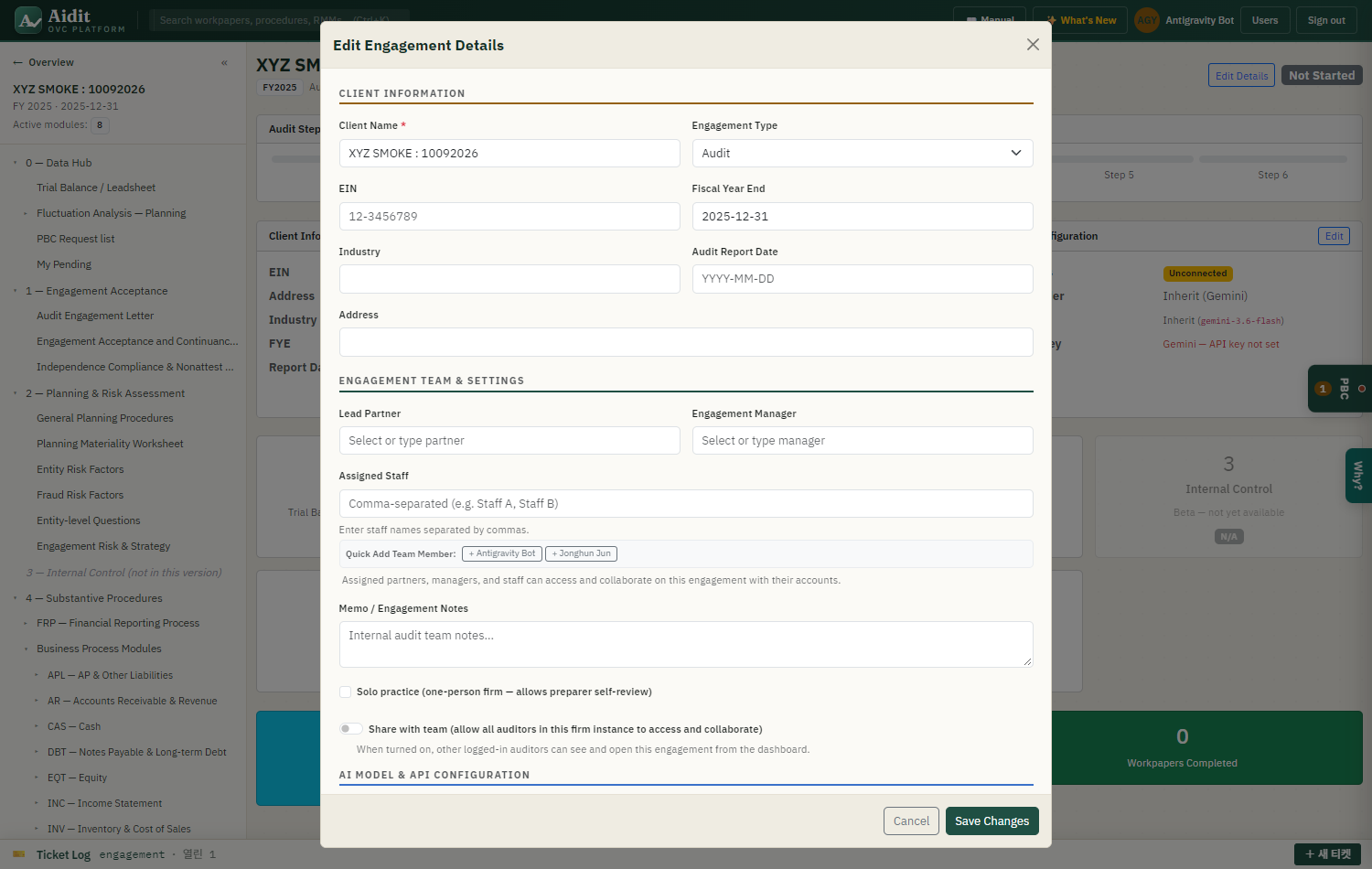
Set up the entire engagement parameter in a single unified modal: client entity profile, fiscal year period, team roles (Lead Partner, In-charge, Staff Reviewer), and Engagement Quality Review (EQR) necessity.
- Solo Practice Self-Review Mode: Allows sole practitioners to execute review sign-offs while preserving an unalterable audit trail tag denoting solo practice status for peer review.
- Multi-Model AI Configuration: Granularly configure multi-provider AI model preferences and strict data anonymization levels per client engagement.
Lead Sheet Ingestion & Scientific Threshold Determination
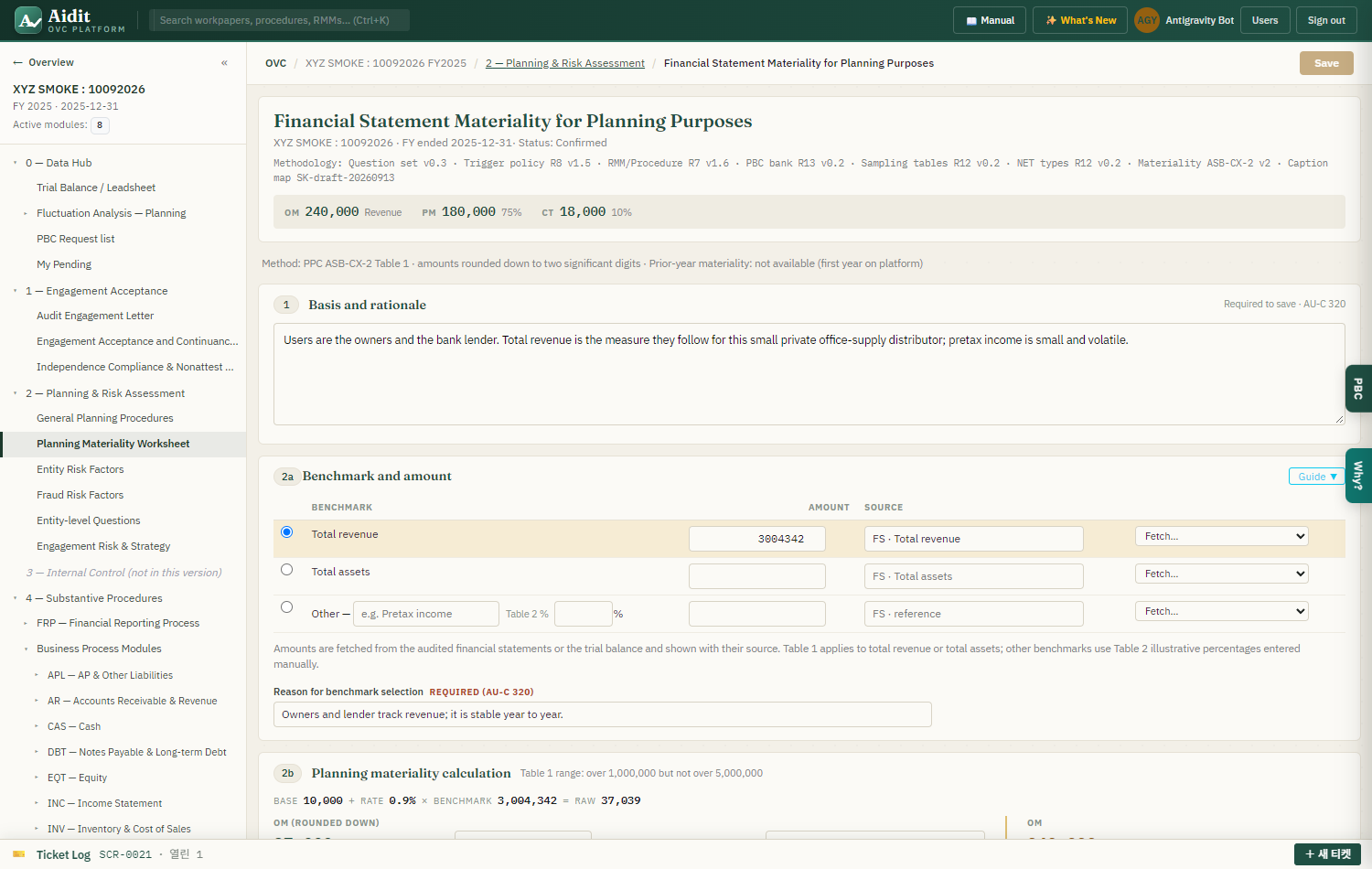
Ingest client Trial Balances (TB) to populate Balance Sheet and Income Statement lead sheets automatically. Calculate Overall Materiality against standard benchmarks (Total Assets, Revenues, Pre-tax Income).
- Performance Materiality (PM 75%): Standardized at 75% of overall materiality to manage undetected aggregate misstatements.
- Clearly Trivial Threshold (CT 10%): Automatically sets trivial cutoff at 10% of PM for streamlined misstatement evaluation.
- Save & Lock Integrity: Materiality thresholds must be explicitly saved and locked before testing modules can consume them.
87 Scoping Inquiries Dynamically Curate Active Workpapers
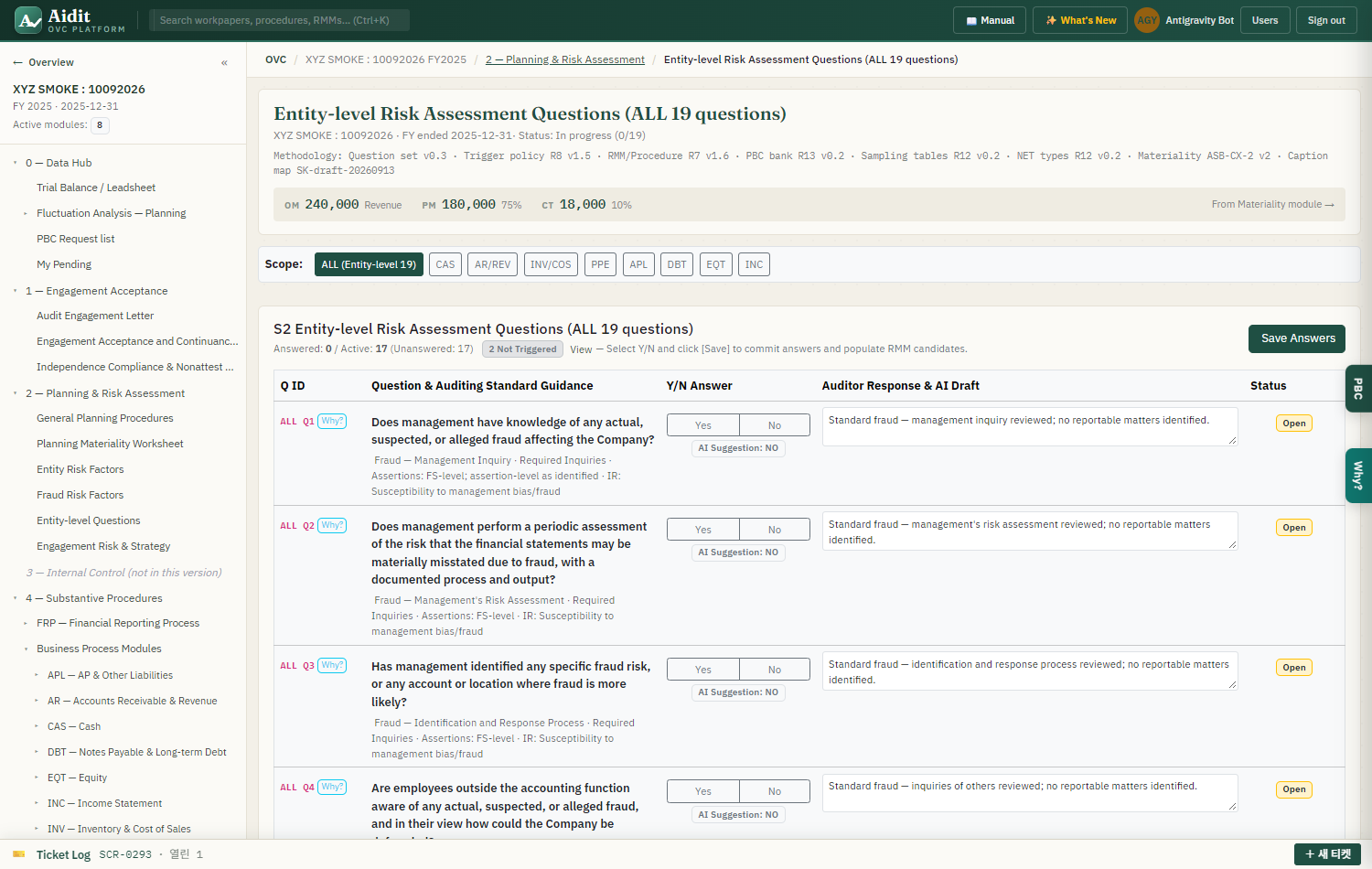
Auditors answer focused planning questions across accounting cycles (Cash, AR, Revenue, Inventory, PP&E, Debt, Taxes). The engine uses showConditions logic to activate only relevant workpapers, eliminating clutter.
- AU-C 240 / 315 Fraud & Risk Integration: Inquiries on going concern or revenue recognition risk automatically trigger specialized audit programs.
- 6 Governance Profiles: Identifies service organizations (AU-C 402 SOC reports) and specialized board oversight structures.
AI Procedure Synthesis & Systematic Audit Sampling
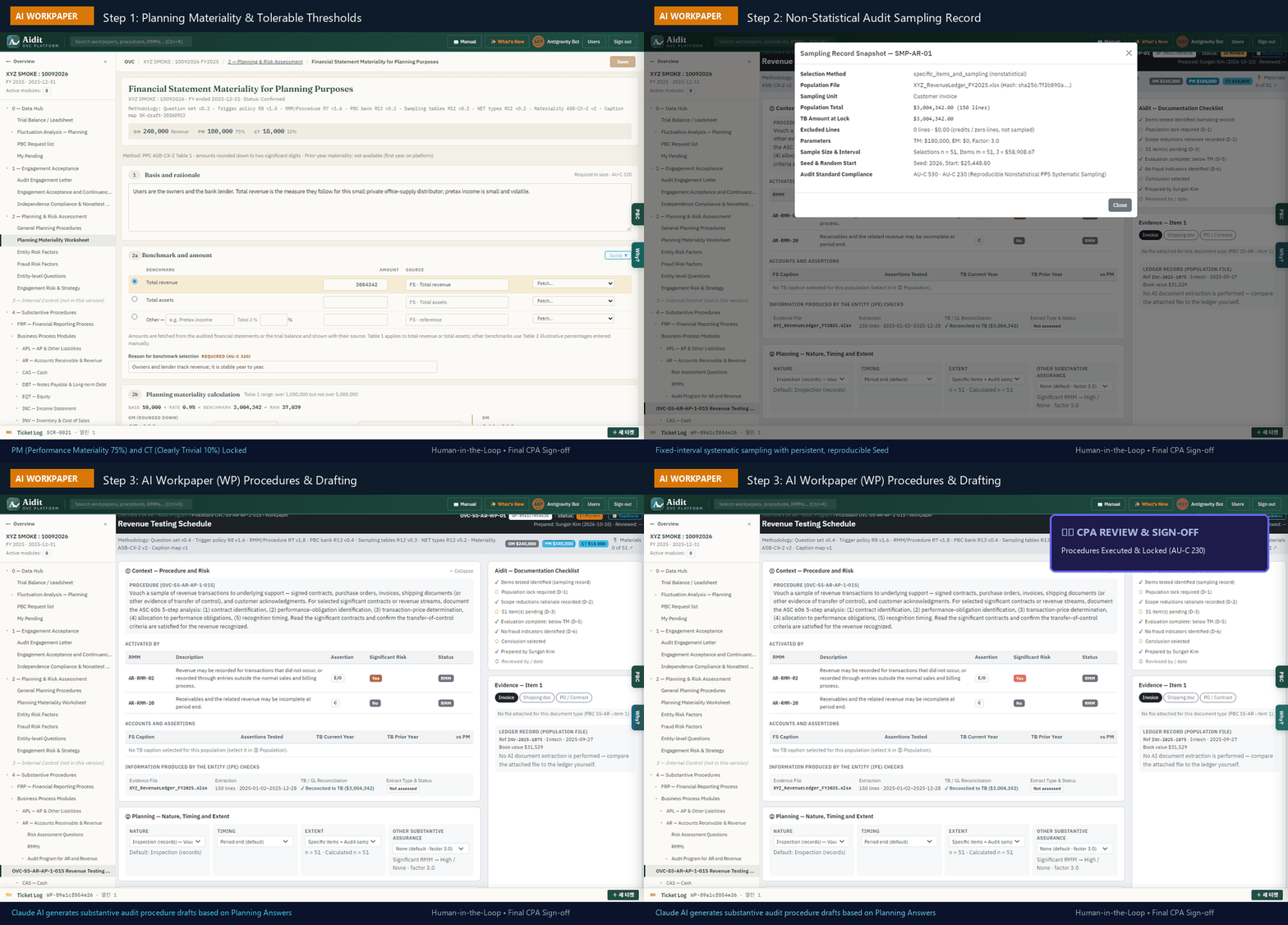
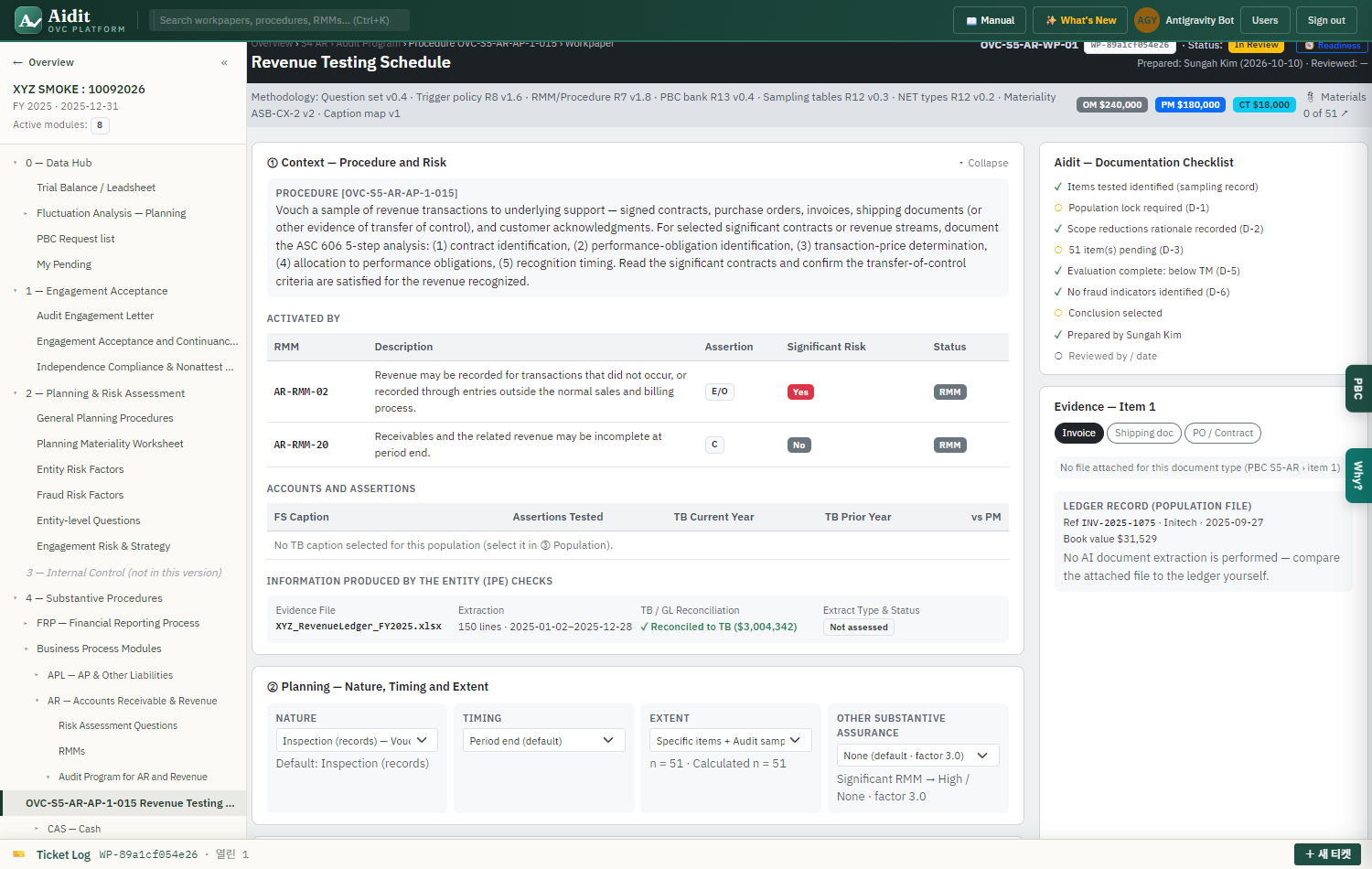
Perform fixed-interval non-statistical sampling across populations. The AI Copilot analyzes the Planning Question context and synthesizes comprehensive substantive procedure drafts directly into the workpaper frame.
- Reproducible Sampling Record: Random seeds, intervals, and tested item IDs are permanently logged for quality reviews.
- Human-in-the-Loop Review: Preparers evaluate AI draft findings, record actual tested samples, and apply professional skepticism.
- Optimistic Concurrency: Prevents overwrite collisions when multiple team members edit testing schedules concurrently.
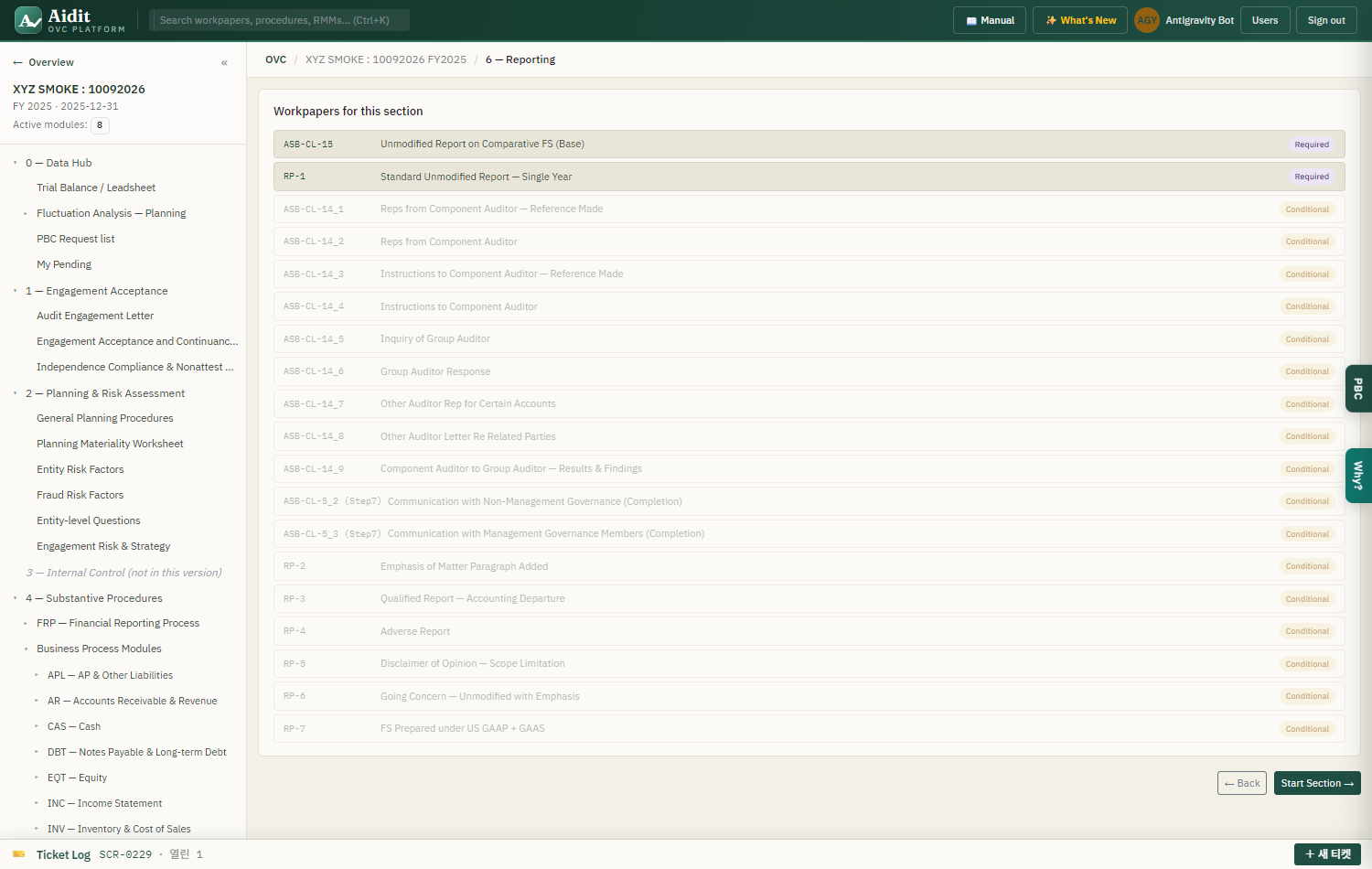
Holistic Misstatement Evaluation & AU-C 700 Report Issuance
Perform a cumulative standback evaluation to confirm whether audit evidence gathered is sufficient and appropriate. Seamlessly generate standardized Independent Auditor's Reports aligned with AU-C 700, 705, and 706.
- Standardized Opinions: Automated generation of Unmodified, Qualified, or Adverse opinion formats with standard GAAP/GAAS phrasing.
- 1-Click Workpaper Export: Compiles complete workpaper binders with digital signatures into archival PDF packages for peer review.